Services
How a Service gives a changing set of Pods one stable address, how it finds them by label, the ClusterIP, NodePort and LoadBalancer types, and cluster DNS.





Diagrams in this video · 3Free in archhy
Now try it on a real cluster
The videos are free. Gazeek's hands-on labs give you a real Kubernetes cluster in your browser for every lab, with checks that tell you when you've got it right: the practice the CKA and CKAD exams need.
The diagrams, full size
Copy any of them into archhy, free, and change it for your own system.
After this lesson you can
- Explain why Pods need a Service in front of them
- Describe how a Service selects its Pods using labels
- Compare the ClusterIP, NodePort and LoadBalancer Service types
- Explain how Pods find a Service by its DNS name
Transcript
Services
Space Llama here. Pods come and go. Their addresses go with them. So how does anything find them? Today, Services. We'll cover selectors, the three main Service types, and cluster DNS.
Why Services
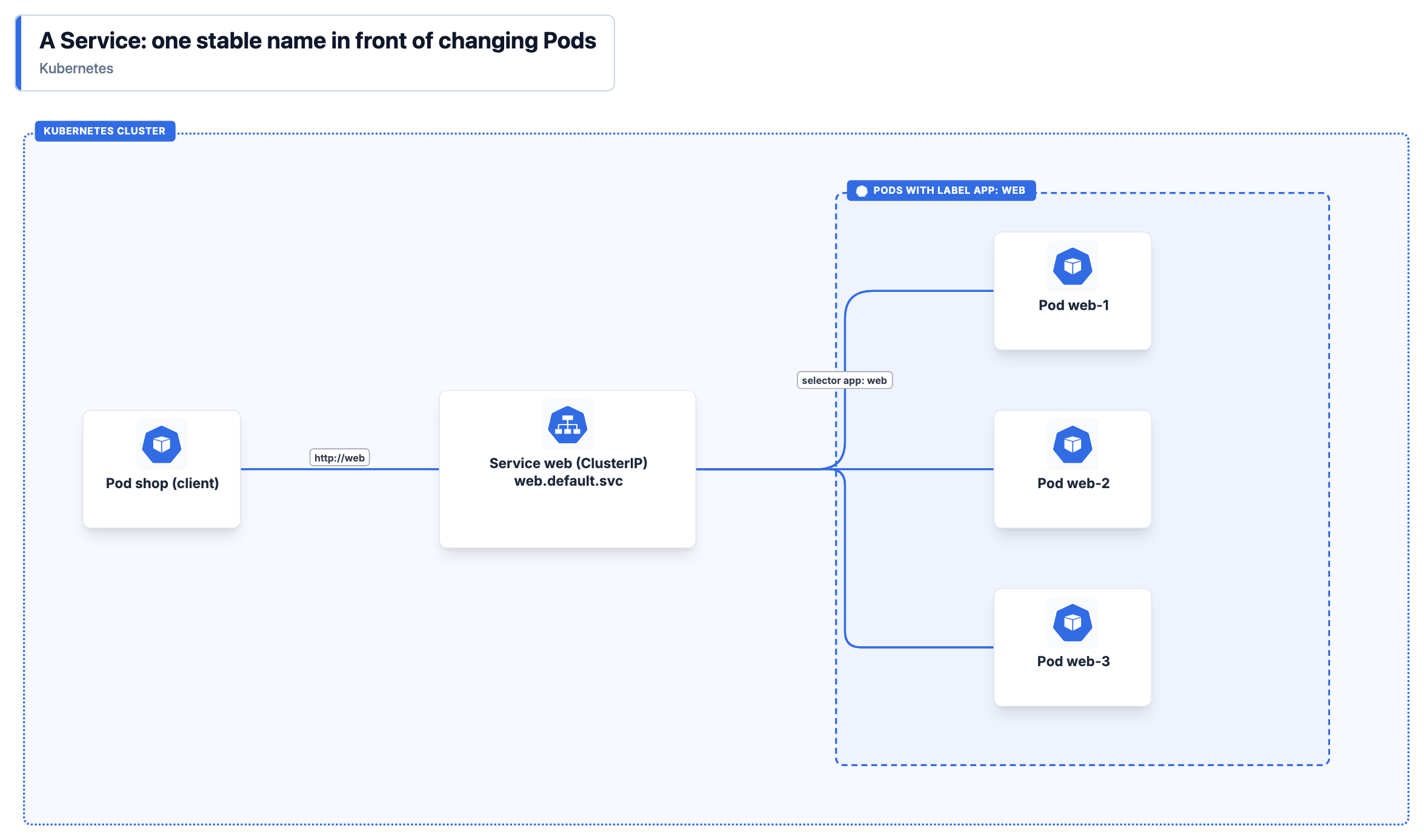
Every Pod gets its own IP address. But when a Pod is replaced, the new one gets a new address. Imagine a front end that has to track every back-end Pod's address. That's no way to live. A Service gives a set of Pods one stable name and one stable address. Clients talk to the Service, and it sends each request on to one of the Pods behind it.
Selectors and labels
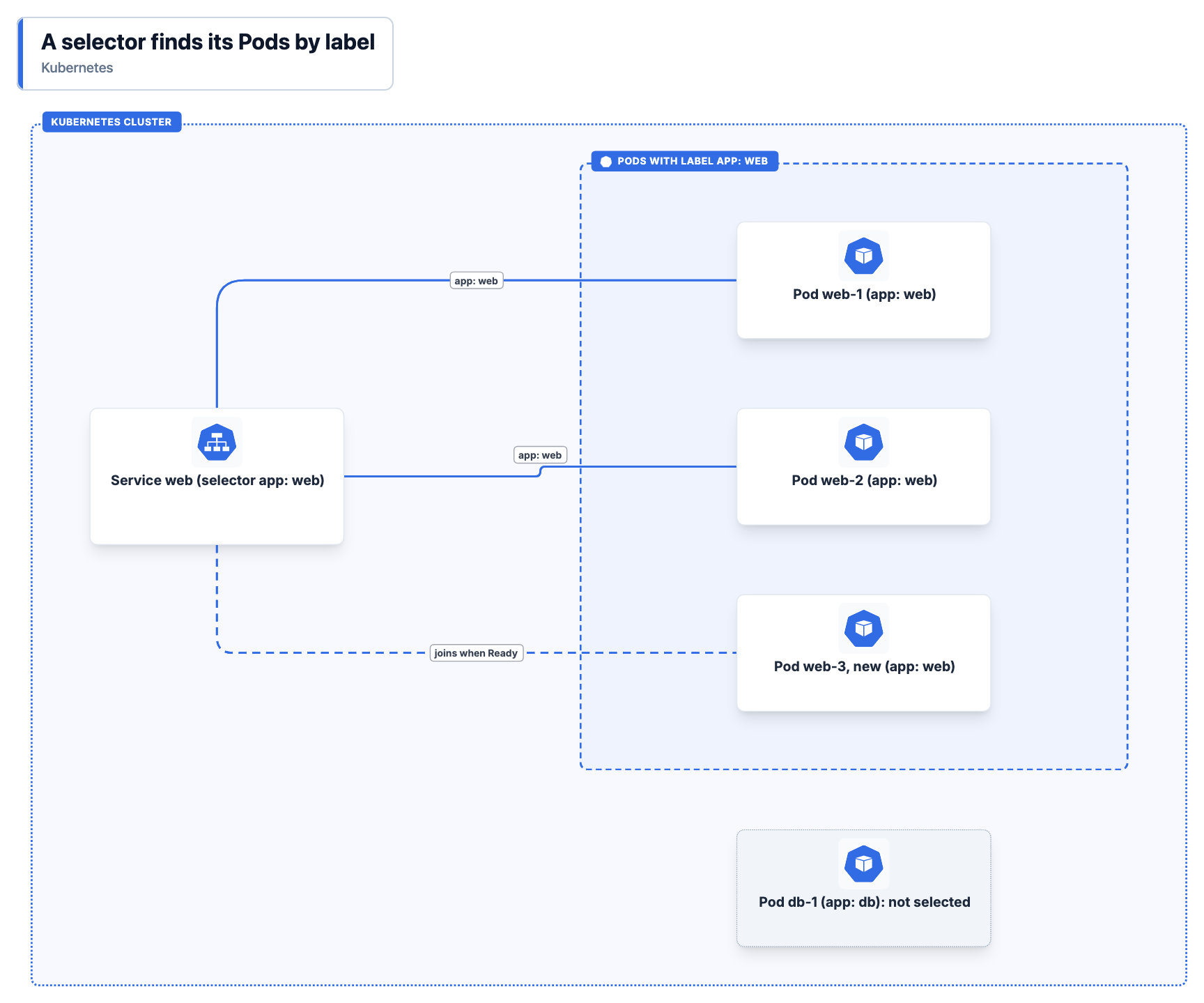
How does a Service know which Pods are its own? Labels. A label is a key and a value on a Pod, like app equals web. The Service has a selector that says, send traffic to every Pod with app equals web. When a new Pod with that label is ready, it joins. When a Pod goes away, it's dropped.
A ClusterIP Service
Here's the picture. On the left are client Pods. They want to call the back end. In the middle is the Service, with one stable cluster IP address and one name. On the right are three back-end Pods, each with the label the Service selects. A client sends its request to the Service. The request lands on one of the three Pods. Replace any of those Pods, and the clients never notice.
Service types
There are three main Service types. ClusterIP is the default. It gets an address that only works inside the cluster. Perfect for one app calling another. NodePort opens the same port on every node's IP address. Traffic to that port reaches the Service. LoadBalancer asks for an external load balancer, usually from your cloud provider, which sends traffic into the Service. Each builds on the one before. A LoadBalancer Service still has a cluster IP inside.
Cluster DNS
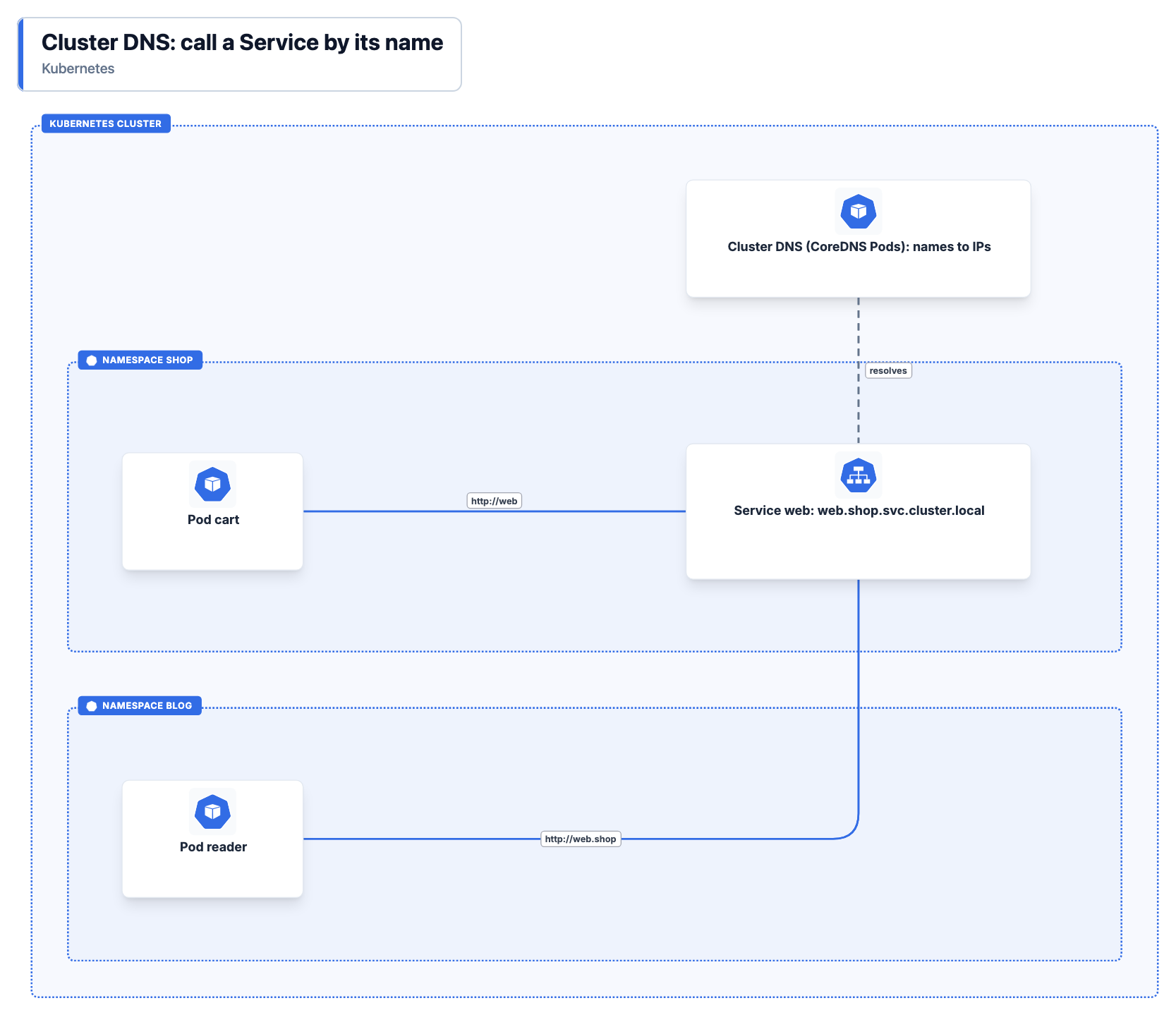
Kubernetes runs a DNS service inside the cluster, and every Service gets a DNS name. A Pod in the same namespace can simply use the Service's name, like web. From another namespace, add the namespace, like web dot shop. The full name ends with s v c, then the cluster domain, which is usually cluster dot local.
Recap
Let's recap. A Service gives a changing set of Pods one stable name and address. Its selector finds those Pods by label. ClusterIP is the default, and works only inside the cluster. NodePort and LoadBalancer let traffic in from outside. And cluster DNS lets you call any Service by name.
Practice and what's next
That's Services. Pods move. The address stays put. Practice it at Gazeek Labs, with free Kubernetes practice questions and hands-on labs on a real cluster. Next up, Ingress and the Gateway API. See you there.
Hands-on labs
Now try it on a real cluster
Services and EndpointSlices: a real cluster built for you, checked as you go.
Open the lab
Gazeek Flash · free
Exam questions on your phone
Free questions on Networking: quick-fire batches and timed exams, on the web or Android.