Pods
What a Pod is, how its containers share one network and its volumes, why Pods are disposable, and where sidecar containers fit.





Diagrams in this video · 3Free in archhy
Now try it on a real cluster
The videos are free. Gazeek's hands-on labs give you a real Kubernetes cluster in your browser for every lab, with checks that tell you when you've got it right: the practice the CKA and CKAD exams need.
The diagrams, full size
Copy any of them into archhy, free, and change it for your own system.
After this lesson you can
- Define a Pod as the smallest deployable unit in Kubernetes
- Explain how containers in a Pod share a network and volumes
- Explain why Pods are disposable and usually managed by workload resources
- Describe what a sidecar container is for
Transcript
Pods
Space Llama here. Today we meet the Pod. Not the escape pod. That one I keep for emergencies. We'll cover what a Pod is, what its containers share, and why Pods are meant to be replaced. Then sidecars, the small helpers that ride along.
What a Pod is
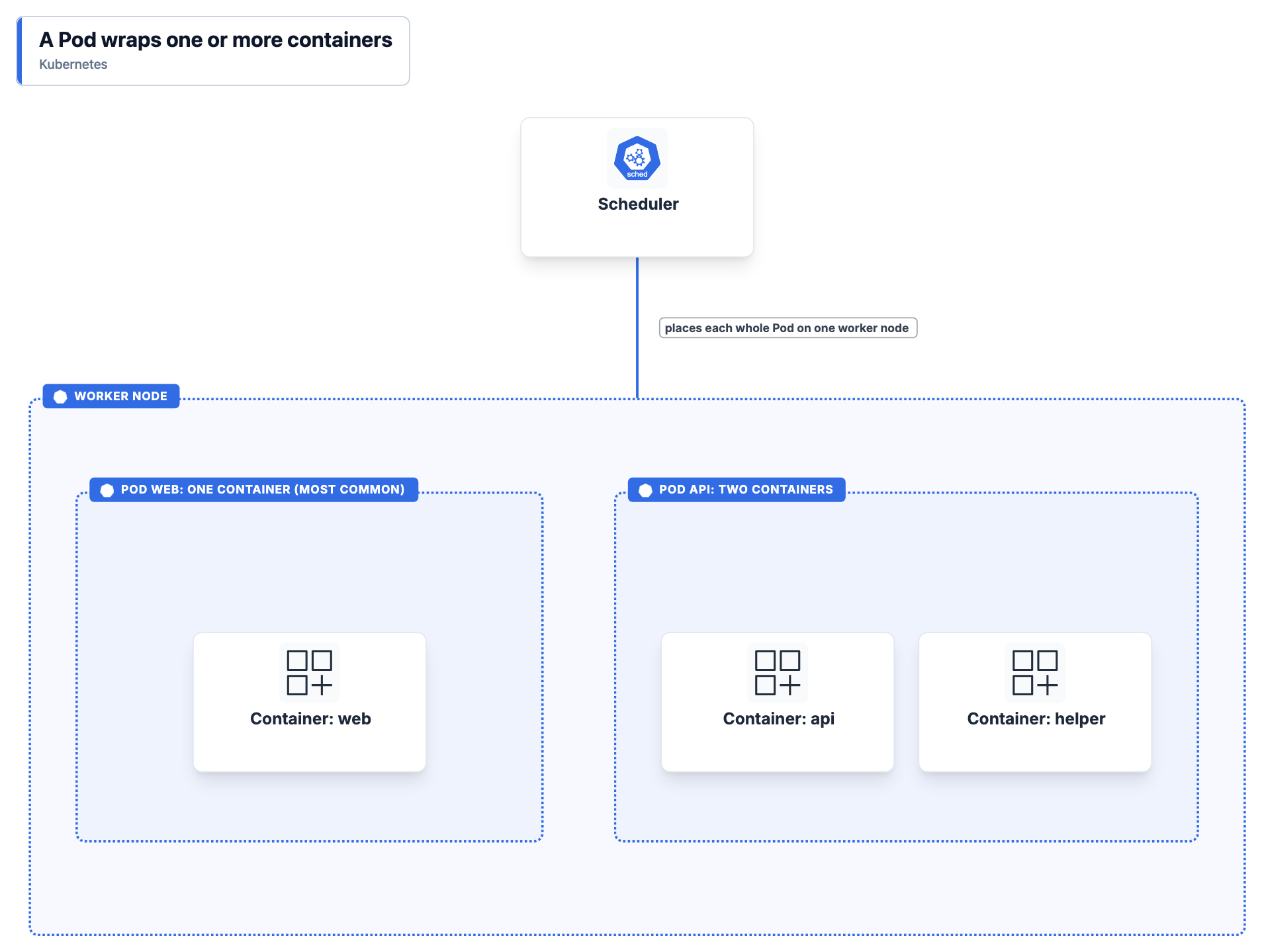
A Pod is the smallest deployable unit of computing in Kubernetes. Kubernetes doesn't run a container on its own. It runs a Pod, and the Pod holds the containers. A Pod can hold one container or several. All the containers in a Pod are scheduled together, onto the same node. Most Pods hold just one container. Think of the Pod as a wrapper around it.
What containers in a Pod share
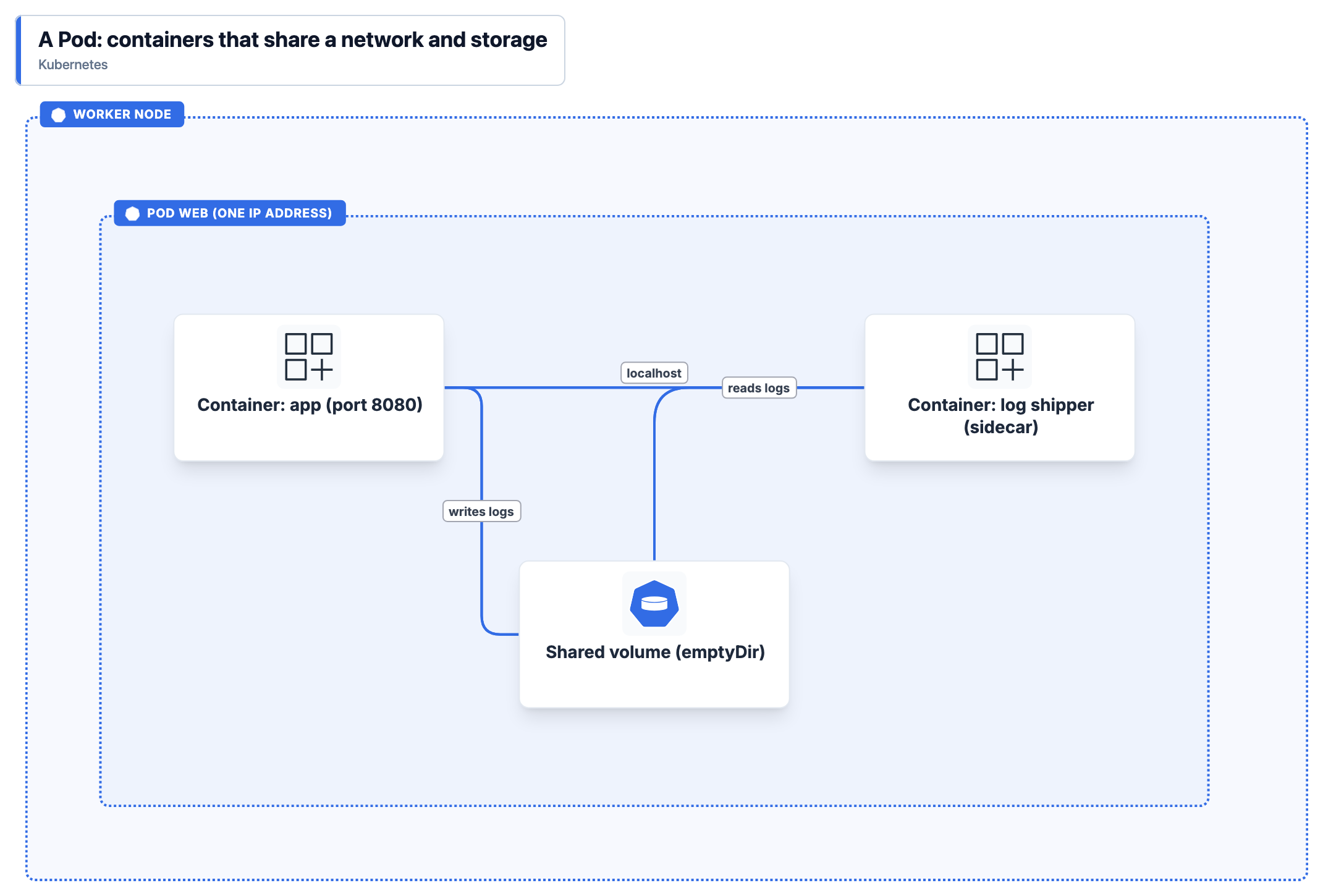
Containers in the same Pod share a network namespace. That means one IP address, and one set of ports. So they can talk to each other on localhost, as if they were on the same machine. They can also share storage. A volume, which is a directory the Pod provides, can be mounted into each container. So only put containers in one Pod when they truly belong together.
Inside a Pod
Here's the picture. The big box is a node, a machine in the cluster. Inside it sits one Pod. The Pod holds two containers. One is the main application. The other is a helper. Both sit behind the Pod's single IP address, so they reach each other on localhost. Below them is a volume. Each container mounts it, so a file one writes, the other can read. Everything in the box lives and dies together, on that one node.
Pods are disposable
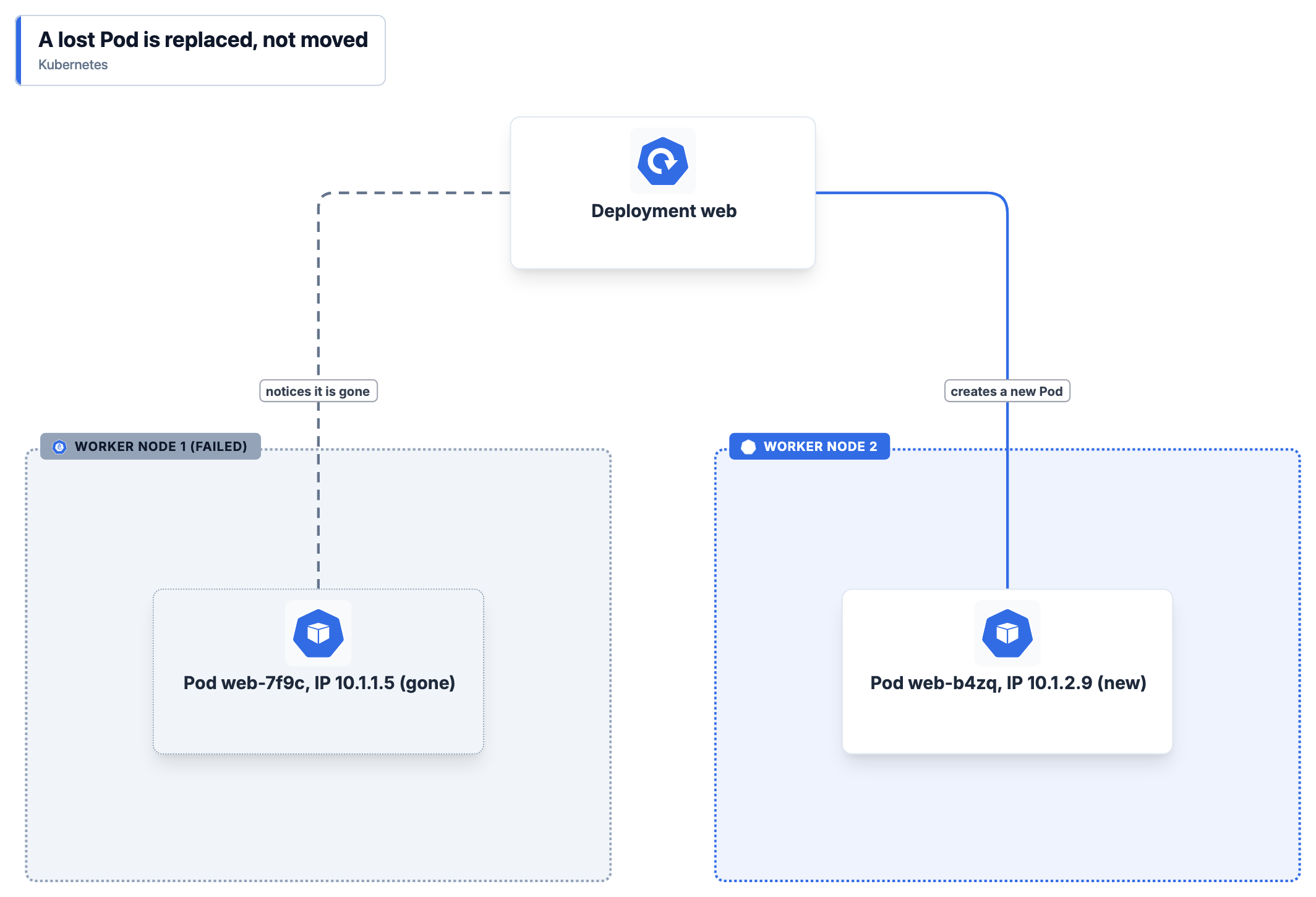
Pods are meant to be short-lived. If a container crashes, the node can restart it inside the same Pod. But a Pod is never moved. If its node fails, the Pod is gone, and something must make a new one. A replacement Pod is a new Pod, with a new name and a new IP address. That's why you rarely create Pods by hand. Workload resources, like Deployments, create and replace them for you. We'll meet those next lesson.
Sidecar containers
A sidecar container is a helper that runs alongside the main application container, in the same Pod. Common jobs are shipping logs, acting as a network proxy, or keeping files in sync. Because it shares the Pod's network and volumes, it can help without changing the app itself. There are also init containers. They run to completion before the app containers start, to set things up.
Recap
Let's recap. A Pod is the smallest deployable unit in Kubernetes. It holds one or more containers. Its containers share one network, so they talk on localhost, and they can share volumes. Pods are disposable. A lost Pod is replaced by a new one, never moved. So workload resources create and manage Pods for you. And sidecars are helper containers that run beside the main one.
Practice and what's next
That's the Pod. Small, shared, and easy to replace. Try it for real. Gazeek Labs has free Kubernetes practice questions, and hands-on labs on a real cluster. Next up, Deployments and ReplicaSets. See you there.
Hands-on labs
Now try it on a real cluster
Deploy a multi-container Pod: a real cluster built for you, checked as you go.
Open the lab
Gazeek Flash · free
Exam questions on your phone
Free questions on Workloads: quick-fire batches and timed exams, on the web or Android.