Deployments and ReplicaSets
How a Deployment manages a ReplicaSet to keep the right number of Pods running, and how it scales, rolls out updates and rolls them back.





Now try it on a real cluster
The videos are free. Gazeek's hands-on labs give you a real Kubernetes cluster in your browser for every lab, with checks that tell you when you've got it right: the practice the CKA and CKAD exams need.
The diagrams, full size
Copy any of them into archhy, free, and change it for your own system.
After this lesson you can
- Explain how a Deployment, its ReplicaSet and its Pods relate
- Describe how a ReplicaSet keeps a set number of replicas running
- Scale a Deployment by changing its replica count
- Explain rolling updates and how to roll back a Deployment
Transcript
Deployments and ReplicaSets
Space Llama here. Last time, Pods. Easy to lose. Today, the thing that makes sure you never notice. We'll cover ReplicaSets, Deployments, scaling, rolling updates, and how to roll back.
ReplicaSets keep the count
A replica is one copy of your Pod. Three replicas means three identical Pods. A ReplicaSet's job is to keep a stable set of replica Pods running at any given time. It finds its Pods using labels, which are small name tags on each Pod. If a Pod is deleted, or its node fails, the ReplicaSet sees one missing and creates a new one. That's self-healing. Not glamorous, but very reliable.
Deployments manage ReplicaSets
A Deployment sits one level higher. It provides declarative updates for Pods and ReplicaSets. Declarative means you describe what you want, like this image, with three replicas. The Deployment controller then changes the cluster, step by step, until it matches. It creates the ReplicaSet for you, and the ReplicaSet creates the Pods.
Deployment, ReplicaSet, Pods
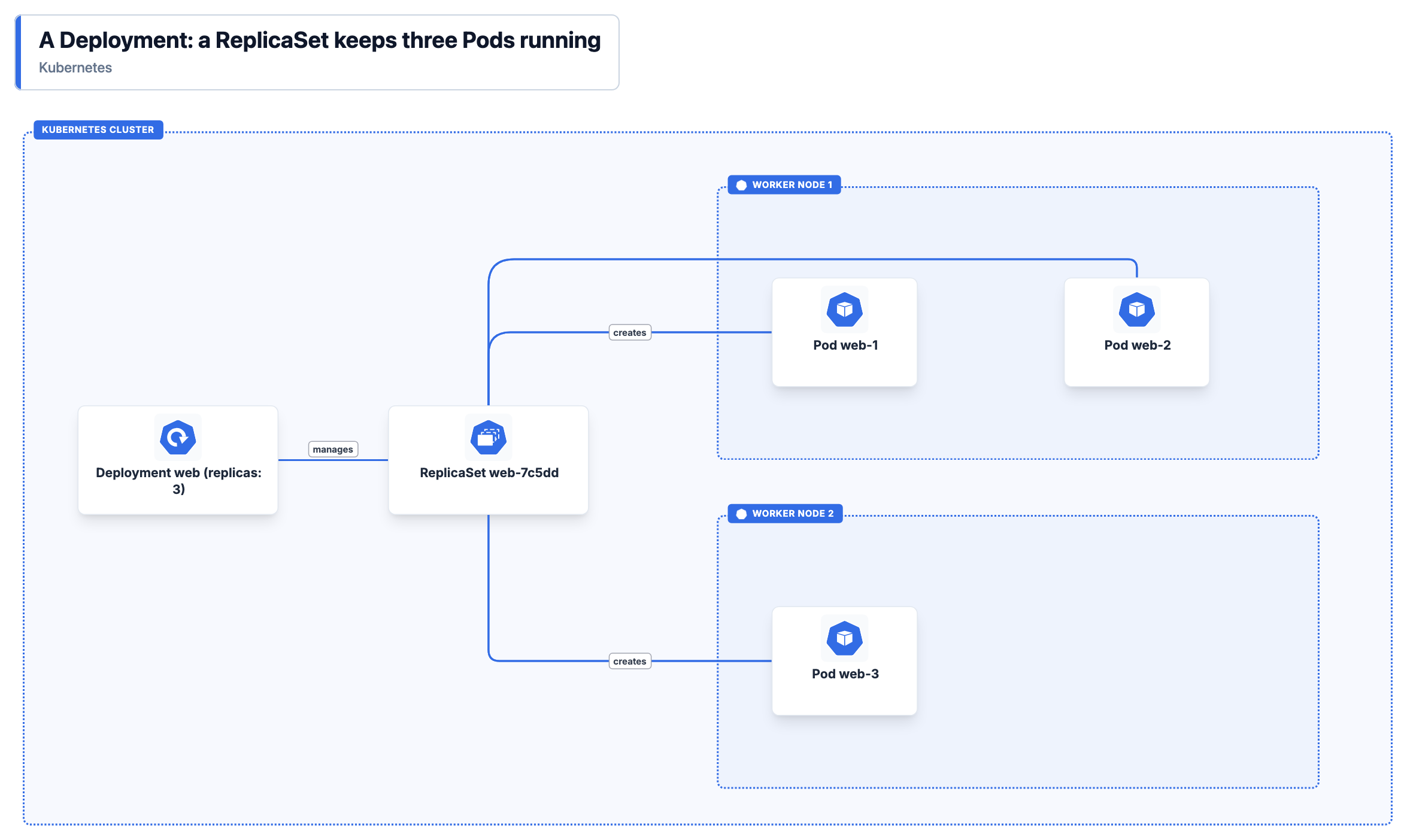
Here's the chain. At the top is the Deployment. It holds your desired state, including the Pod template and three replicas. It manages a ReplicaSet, which keeps exactly three Pods running. The three Pods are spread over two worker nodes. Two on one, one on the other. If the node with two Pods fails, the ReplicaSet creates two new Pods on a node that's still healthy. You only ever edit the Deployment. The rest follows.
Scaling
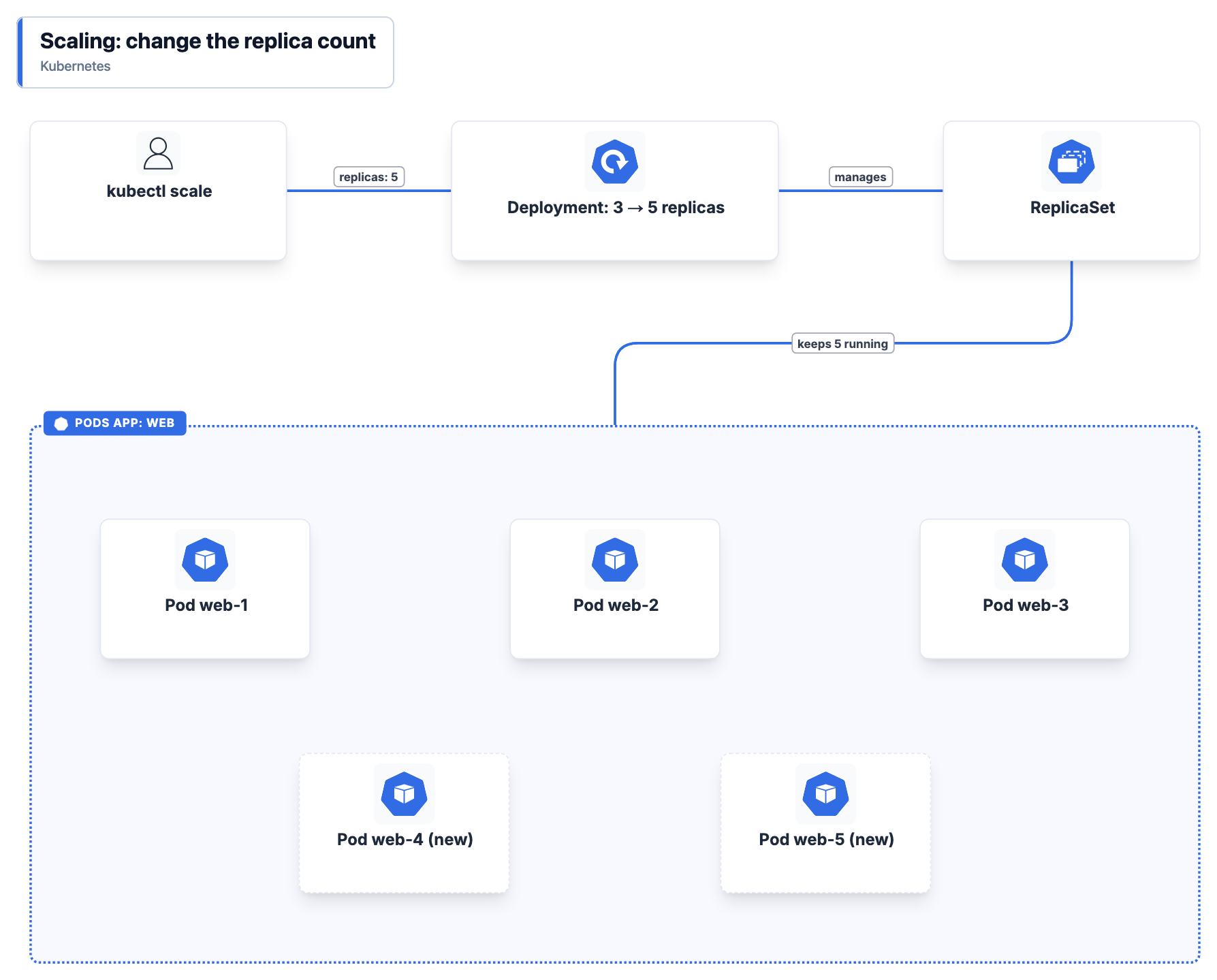
To scale, change the number of replicas. You can edit the manifest and apply it, or say kubectl scale deployment, with the new replica count. Ask for five, and two more Pods appear. Ask for two, and the extras are removed. The ReplicaSet does the counting. You just change the number. Later in the course, we'll let an autoscaler do this for you.
Rolling updates and rollback
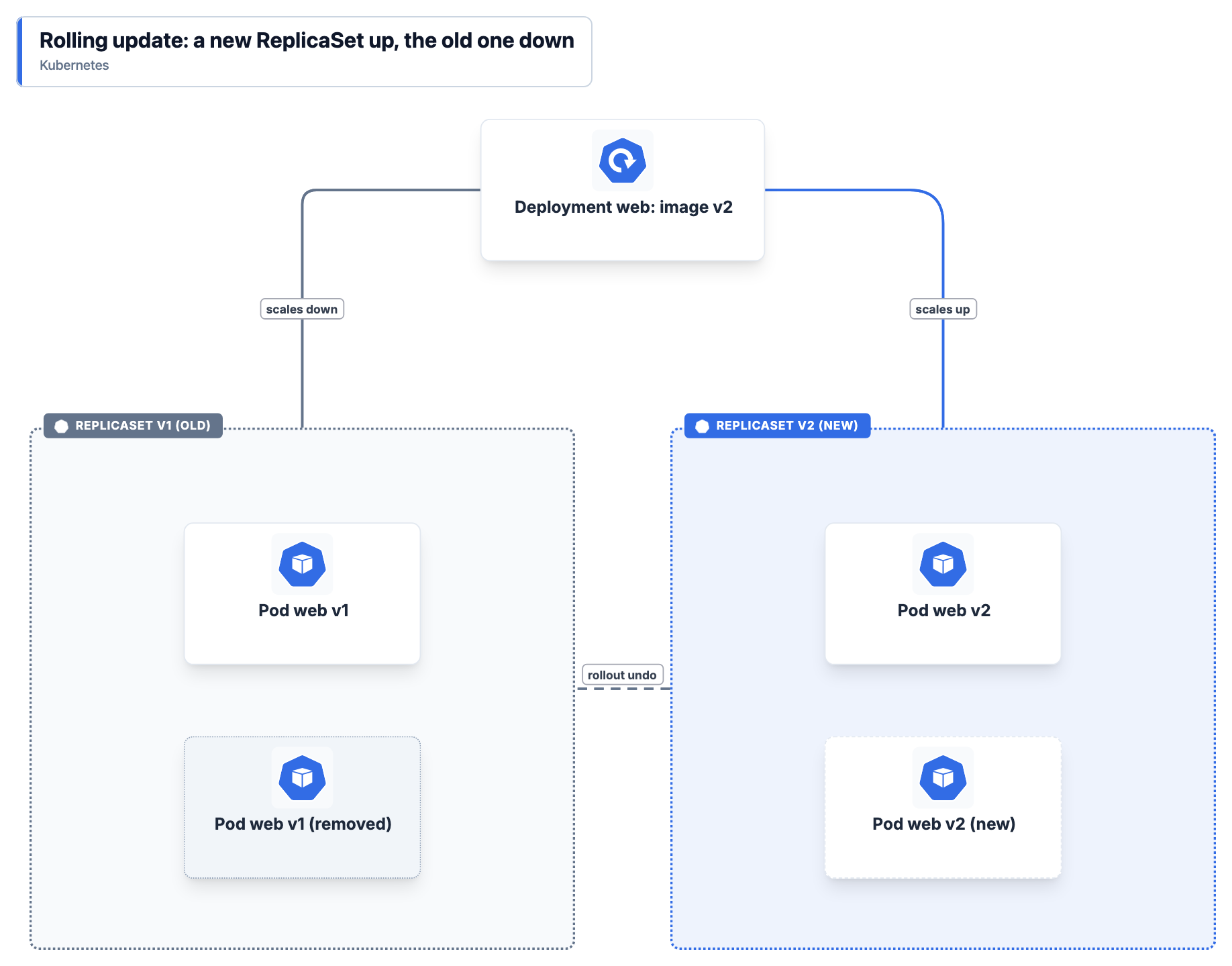
To update your app, change the Pod template. Usually that's a new container image. By default, a Deployment does a rolling update. It creates a new ReplicaSet, scales it up a few Pods at a time, and scales the old one down. So some Pods are always running to serve users, all the way through. If the new version is bad, roll back. The command is kubectl rollout undo. The Deployment keeps old ReplicaSets around, which is what makes that quick.
Recap
Let's recap. A ReplicaSet keeps a set number of Pod replicas running, and replaces any that disappear. A Deployment manages ReplicaSets for you. It's the one you actually write. Scale by changing the replica count. Updates roll out gradually, through a new ReplicaSet. And if something goes wrong, kubectl rollout undo takes you back.
Practice and what's next
That's Deployments. Three Pods, zero drama. Practice it at Gazeek Labs, with free Kubernetes practice questions and hands-on labs on a real cluster. Next up, the other workloads. See you there.
Hands-on labs
Now try it on a real cluster
Ship a web app: a real cluster built for you, checked as you go.
Open the lab
Gazeek Flash · free
Exam questions on your phone
Free questions on Workloads: quick-fire batches and timed exams, on the web or Android.