The cluster: control plane and nodes
What a Kubernetes cluster is made of, a control plane that makes decisions and worker nodes that run your Pods, walked through on one diagram.





Now try it on a real cluster
The videos are free. Gazeek's hands-on labs give you a real Kubernetes cluster in your browser for every lab, with checks that tell you when you've got it right: the practice the CKA and CKAD exams need.
The diagrams, full size
Copy any of them into archhy, free, and change it for your own system.
After this lesson you can
- Define a Kubernetes cluster as a control plane plus worker nodes
- Explain that the control plane decides and the nodes run Pods
- Name the control plane components and the node components
- Describe how kubectl reaches the cluster through the API server
Transcript
The cluster: control plane and nodes
G'day. Space Llama here. So far we've talked about why Kubernetes exists. Now we open the box. In this lesson, we'll look at a whole Kubernetes cluster, from the top. Two halves, one diagram, and a name for every part.
What a cluster is
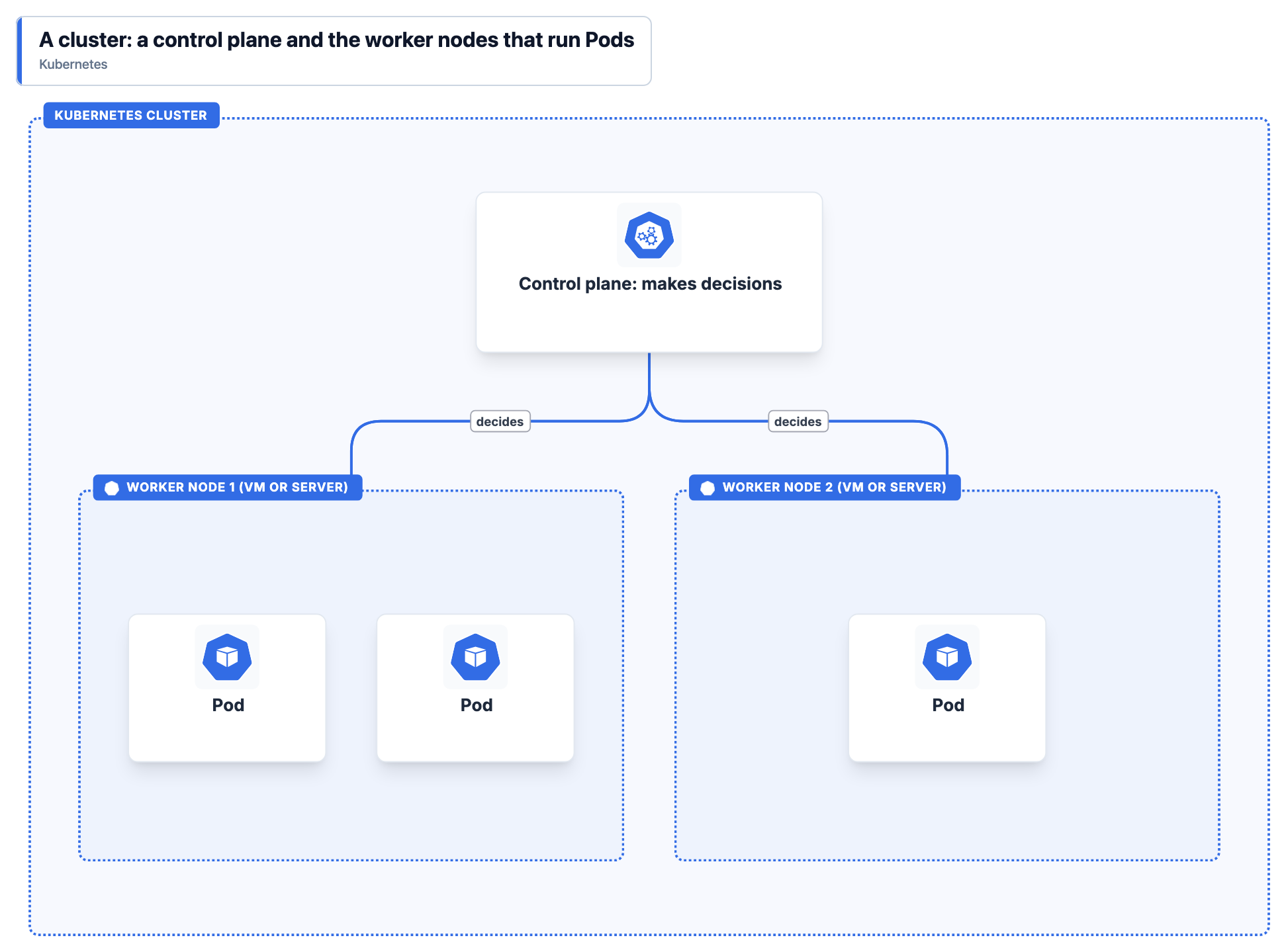
A Kubernetes cluster is a set of machines that work together to run your containers. It has two parts. The control plane, and the worker nodes. A node is one machine in the cluster. It can be a physical server or a virtual machine. Your containers run inside Pods, and Pods run on the worker nodes. A Pod is the smallest thing Kubernetes runs. It wraps one or more containers. It gets its own lesson later. Every cluster needs at least one worker node.
Control plane vs worker nodes
Think of the control plane as mission control, and the nodes as the crew. The control plane makes global decisions, like where a new Pod should run. It stores the state of the cluster, and it notices and responds to events, like a Pod failing. The worker nodes do the actual work. They run your Pods and report back on how things are going. Need more room for Pods? Add more nodes.
A Kubernetes cluster
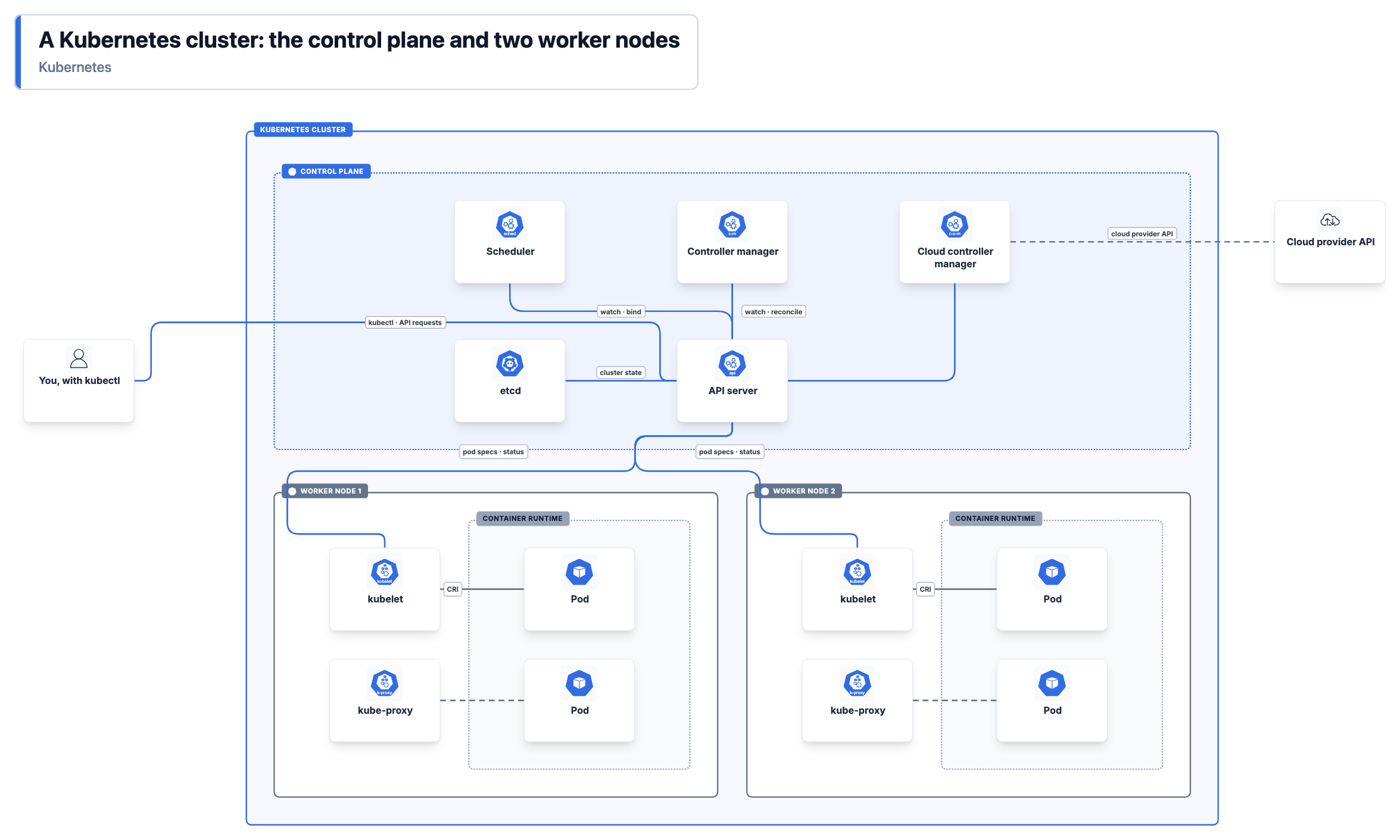
Here's the whole cluster in one picture. On the left is you, with kubectl, the command-line tool. It sends every request to the API server. The API server is the front door of the control plane. Everything goes through it. Next to it is etcd, a consistent, highly available key-value store. It holds all the cluster's data. The scheduler picks a node for each new Pod. The controller manager runs controllers, loops that keep the cluster the way you asked. The cloud controller manager links the cluster to a cloud provider, if there is one. Below are two worker nodes. Each one runs a kubelet, the agent that makes sure its Pods are running. Each also runs kube-proxy, which helps network traffic reach Pods, and a container runtime, which actually runs the containers. And on each node, the Pods. That's where your application lives.
Where the control plane runs
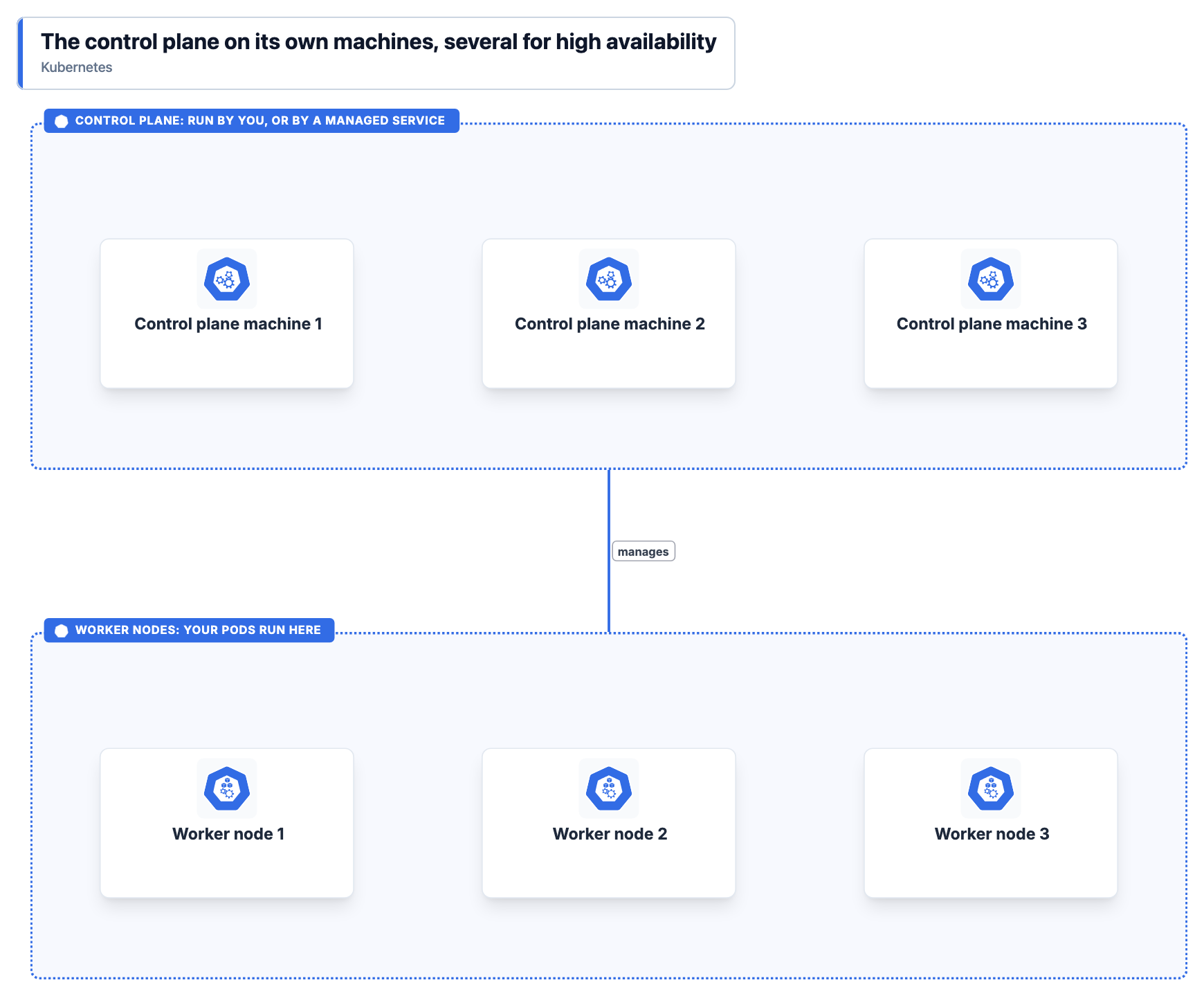
The control plane is software, so it can run on any machine in the cluster. Setup tools usually put it on its own machines, and keep your Pods off them. In production, the control plane usually runs across several machines, so one failure doesn't stop the cluster. With a managed service, like the ones in a big cloud, the provider runs the control plane for you. You just bring the workloads. Which is the fun part anyway.
Recap
Let's recap. A cluster is a control plane plus one or more worker nodes. The control plane decides. It holds the state and responds to changes. The worker nodes run your Pods. And kubectl talks to the cluster through the API server, the front door.
Practice and what's next
That's the cluster, from orbit. Next we fly closer. To practice, try the free Kubernetes practice questions and hands-on labs at Gazeek Labs. Next lesson, Inside the control plane. See you there.
Hands-on labs
Now try it on a real cluster
Tour a kubeadm cluster: a real cluster built for you, checked as you go.
Open the lab
Gazeek Flash · free
Exam questions on your phone
Free questions on Cluster architecture: quick-fire batches and timed exams, on the web or Android.