Anatomy of a template
The blocks of a Packer HCL2 template, packer, variable, data, source and build, and the four commands that take it from a file to an image.





Diagrams in this video · 2Free in archhy
The diagrams, full size
Copy any of them into archhy, free, and change it for your own system.
After this lesson you can
- Name the blocks of a Packer HCL2 template and what each one does
- Explain why packer init is now a required first step
- Describe how a build block uses sources, provisioners and post-processors
- Run the Packer workflow in order, from init to build
Transcript
Anatomy of a template
Space Llama here. Last time, why golden images are worth baking. Today, the recipe card. We'll open a Packer template and name every block in it. Then four commands take it from a file to an image.
HCL2, the template language
Packer templates are written in HCL2, version two of the HashiCorp Configuration Language, the same language family as Terraform. If you've read a Terraform file, this will feel familiar. HCL2 is now the official format. Older JSON templates still exist, but they're documented as legacy. Template files end in dot P K R dot H C L, and Packer can read a whole folder of them as one template.
A template, block by block
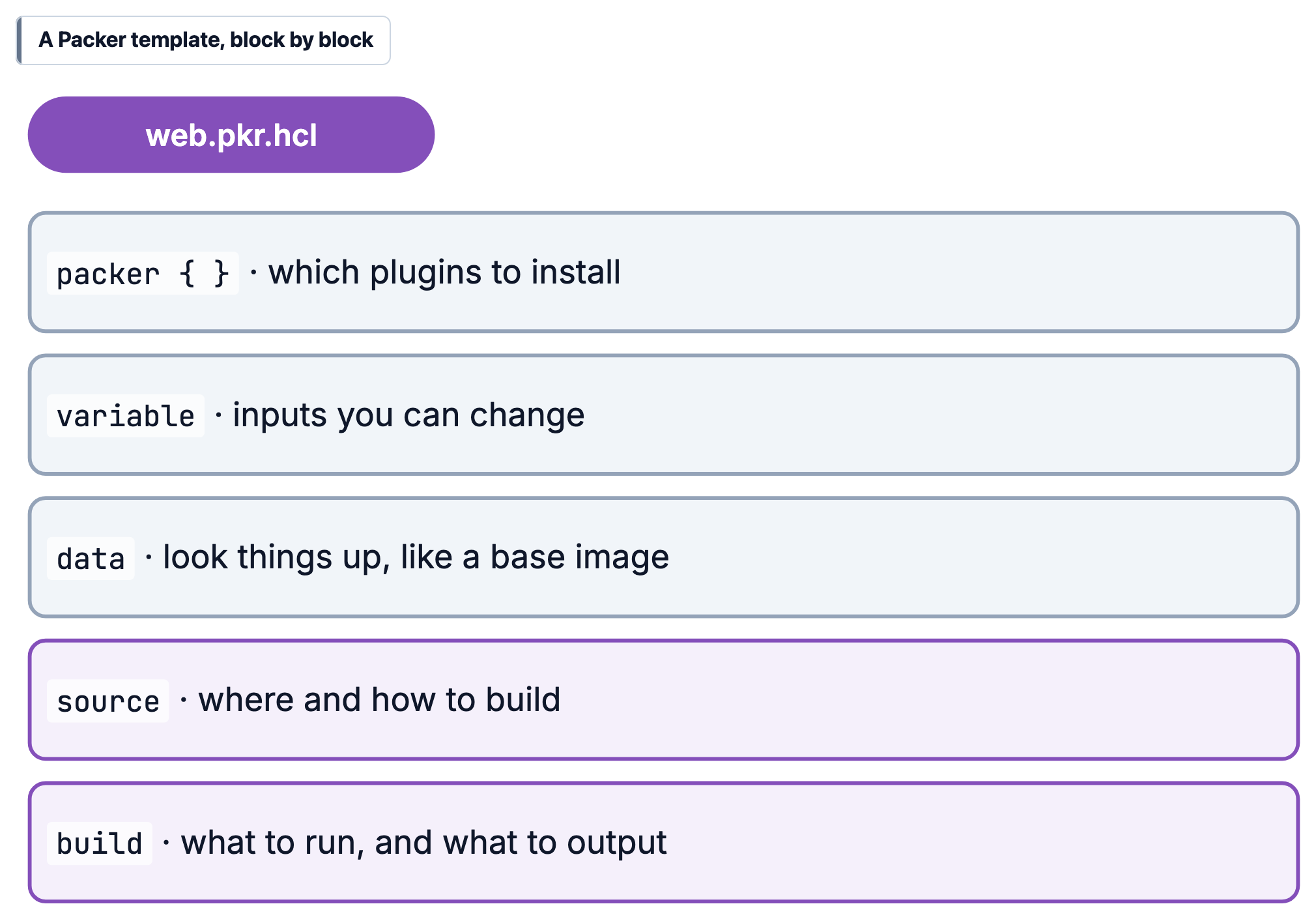
Here's a template, top to bottom. First, the packer block. It lists the required plugins, such as the Amazon plugin, with a version for each. Next, variable blocks. These are inputs you can change at build time, like the region or the instance size. Then data blocks. They look things up, such as the newest official base image to start from. The source block says where and how to build. It names a builder, like amazon E B S, and its settings. Last, the build block. It picks the sources, then lists provisioners to run inside the machine, and post-processors for the output. Source says where. Build says what. Everything else feeds them.
Source and build, in words
Let's read a small example out loud. Source, amazon E B S, web. Inside, a region, an instance type, the base image from the data block, and the user name for SSH, the Secure Shell. Then the build block. Its sources list says source dot amazon E B S dot web. Below that, a shell provisioner with a few commands, like installing a web server. One source, one build, one provisioner. That's already a working golden image.
Plugins are not built in
Builders, provisioners and post-processors mostly live in plugins, not in Packer itself. Since late 2023, HashiCorp's own plugins are no longer bundled inside the Packer binary. So you list them under required plugins, and packer init downloads the right versions for you. It's a bit like terraform init fetching providers. Same idea, same habit. Each plugin has a source address, like github dot com slash hashicorp slash amazon, and a version constraint.
Four commands, in order
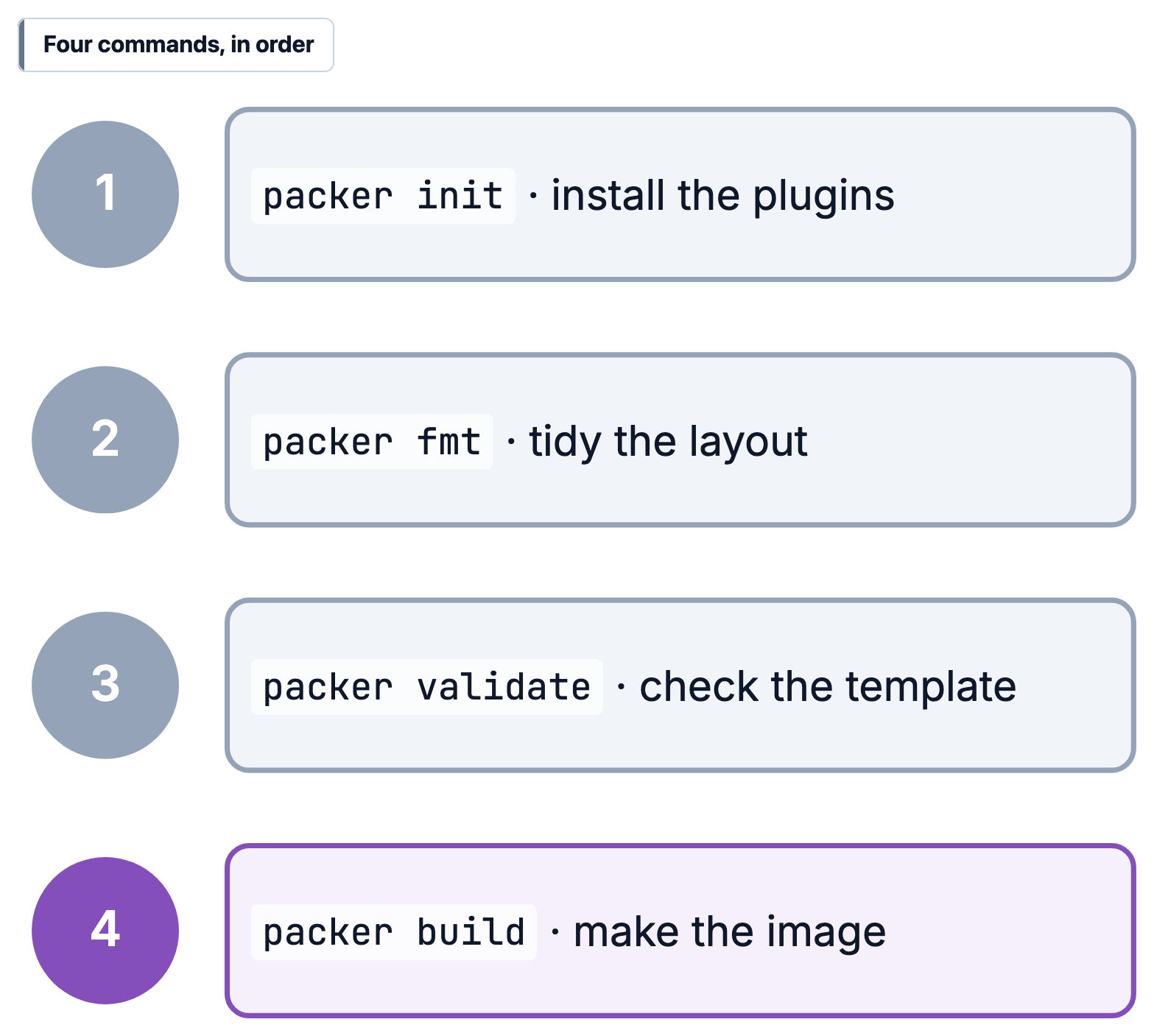
The workflow is four commands. Packer init installs the plugins your template asks for. Packer fmt tidies the layout, so every template in your team looks the same. Packer validate checks the template for mistakes, before you spend any money on a build. And packer build does the real work, and produces the image. Init, format, validate, build. Run them in that order and the surprises arrive early, where they're cheap.
Recap
Let's recap. Packer templates are written in HCL2, in files ending dot P K R dot H C L. The blocks are packer, variable, data, source and build. Source says where, build says what. Plugins aren't bundled any more. Packer init installs them. And the workflow runs init, format, validate, then build.
Practice and what's next
That's a Packer template, all its blocks and all its buttons. Next lesson, Inside a build. We'll watch packer build do its thing, one step at a time. See you there.

Gazeek Flash · free
Exam questions on your phone
Free questions on Packer and golden images: quick-fire batches and timed exams, on the web or Android.