Organizations, projects and workspaces
How HCP Terraform organizes infrastructure, with workspaces holding configuration, variables and state, projects grouping workspaces and carrying team access, and variable sets sharing settings.





Diagrams in this video · 2Free in archhy
The diagrams, full size
Copy any of them into archhy, free, and change it for your own system.
After this lesson you can
- Describe what an HCP Terraform workspace contains
- Explain how projects group workspaces and scope team access
- Use variable sets to share credentials across workspaces
- Choose a sensible way to split infrastructure into workspaces
Transcript
Organizations, projects and workspaces
Space Llama here. Last time, we moved state into HCP Terraform, on the HashiCorp Cloud Platform, and let it run Terraform for us. Now, how do you keep fifty teams and five hundred resources tidy in there? Three boxes, nested. Organizations, projects and workspaces.
What a workspace holds
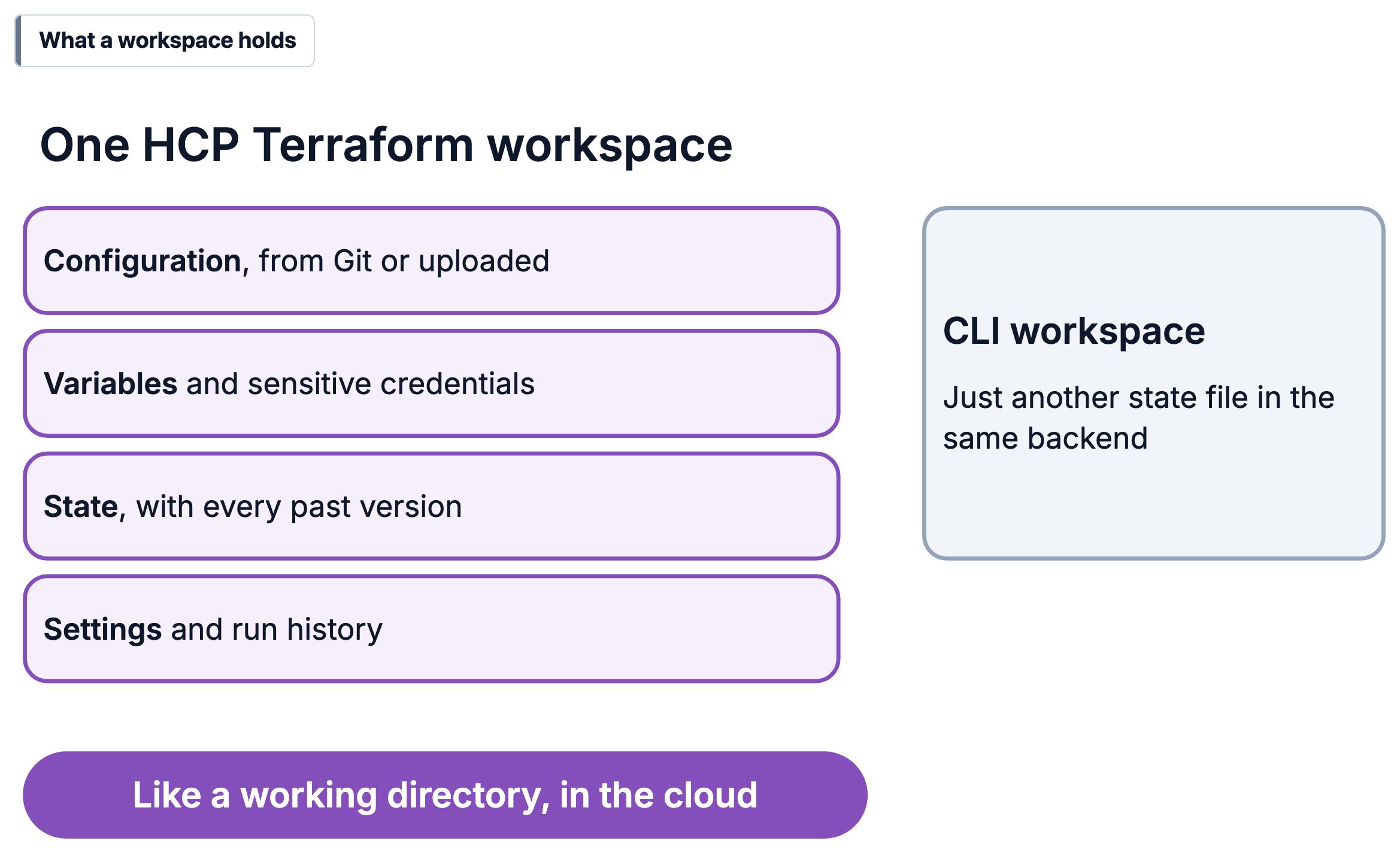
On your laptop, Terraform manages a collection of infrastructure from a working directory. Configuration, state and variables all live there. HCP Terraform uses workspaces instead of directories. A workspace contains everything Terraform needs for one collection of infrastructure. Its configuration comes from a linked Git repository, or is uploaded by the API, or by the CLI, the command-line interface. Variable values and credentials live in the workspace, with secrets stored as sensitive variables. And it keeps the state, every old state version, and a record of every run. So it's a working directory that lives in the cloud and never gets lost under the couch.
Organizations, projects, workspaces
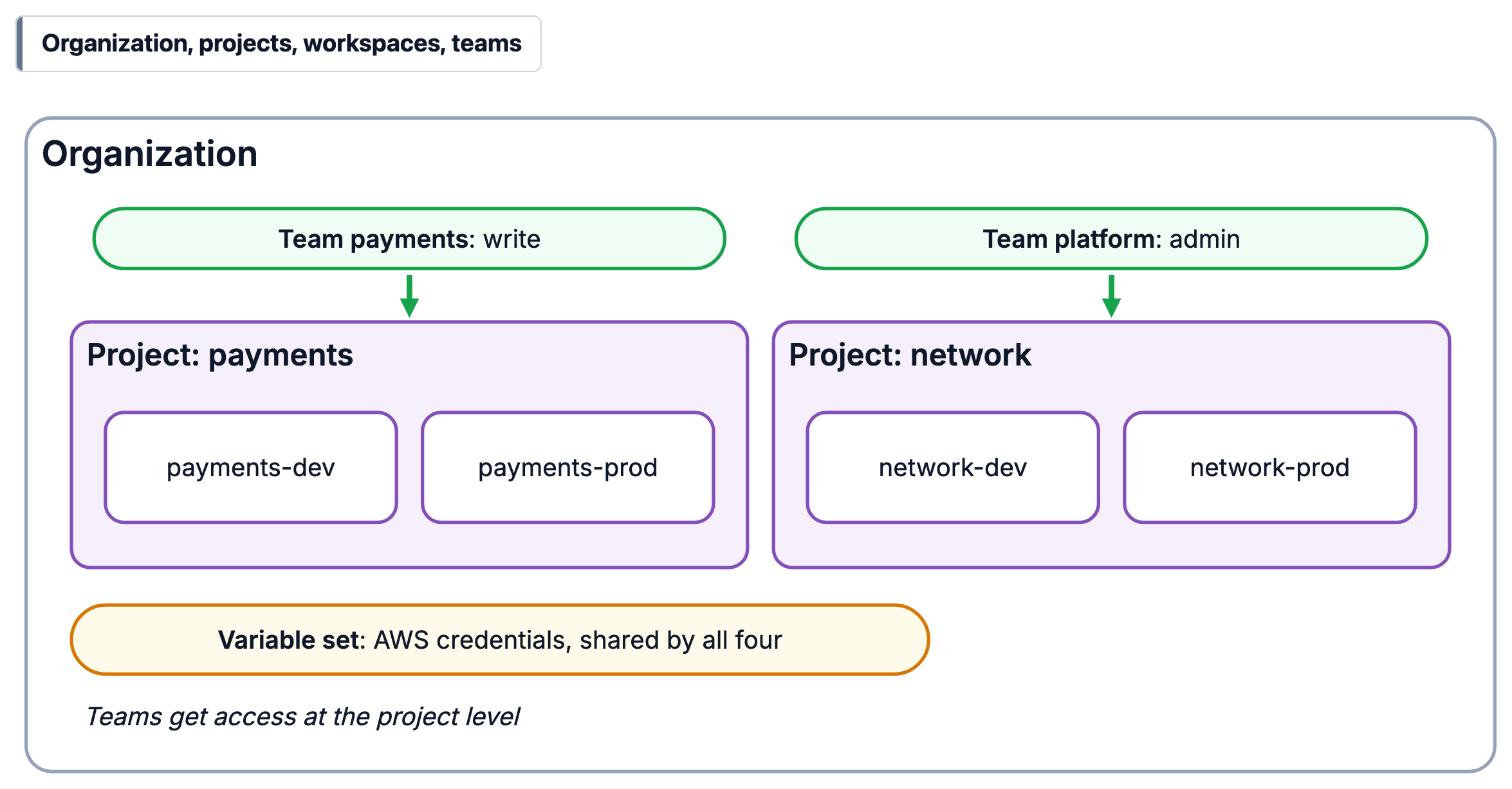
Here's the whole shape. The outer box is the organization. That's your company, or your team's account in HCP Terraform. Inside are projects. Here, one for payments and one for the network. Every workspace belongs to exactly one project. If you don't choose one, it lands in the Default Project, which you can rename but never delete. Each project holds its workspaces. A dev and a prod for each, in this picture. Above each project, a team. Granting access to a project gives the team the same access to every workspace inside it. And along the bottom, a variable set. It shares the same variables, like AWS credentials, with many workspaces at once.
Projects carry team access
Why projects? Because permissions get messy fast if you set them workspace by workspace. You can split projects by business unit, by department, or by technical team. Whatever matches who needs to touch what. Give the payments team write access to the payments project, and they have it on every workspace inside, including new ones. Projects are available to everyone. Managing project permissions needs one of the paid editions of HCP Terraform. A project can also set the default execution mode, remote, local or agent, for the workspaces created inside it.
Variable sets
Without variable sets, every workspace needs its own copy of the same cloud credentials. Copy anything fifty times and, sooner or later, one copy is wrong. A variable set defines the variables once, then applies them to many workspaces. Rotate the secret in the set, and every workspace using it gets the new value. How big should a workspace be? A good habit is one workspace per component, per environment. Like payments dev, and payments prod. Small workspaces mean small plans, quick runs, and mistakes that stay small.
Recap
Let's recap. A workspace holds configuration, variables and state, plus every past state version and every run. Projects group workspaces, and every workspace belongs to exactly one. Teams get access at the project level, and variable sets share credentials and settings across workspaces.
Practice and what's next
That's how HCP Terraform keeps things tidy. Boxes in boxes, like a very organized llama. To practice, try the free practice questions at Gazeek Labs. Next lesson, The VCS workflow: infrastructure by pull request, straight from your version control system. See you there.

Gazeek Flash · free
Exam questions on your phone
Free questions on Terraform for teams: quick-fire batches and timed exams, on the web or Android.