Modules and the private registry
How modules package a pattern once for reuse with different inputs, how the public and private registries share them, and why every module is pinned to a version.





Diagrams in this video · 2Free in archhy
The diagrams, full size
Copy any of them into archhy, free, and change it for your own system.
After this lesson you can
- Explain what a module is, and root and child modules
- Reuse one module for several environments with different inputs
- Compare the public registry with a private registry
- Pin module versions so upgrades happen on purpose
Transcript
Modules and the private registry
Space Llama here. Your team now builds infrastructure by pull request. Soon, three teams have written the same network three slightly different ways. Today, modules. Write a pattern once, and reuse it everywhere.
What a module is
A module is a collection of resources that Terraform manages together. In fact you've been writing one all along. The configuration files in your working directory are the root module. The root module can call other modules with a module block. Those are child modules. A child module takes input variables and hands back outputs, just like the configurations we built in part two. When you run terraform init, Terraform downloads and caches every module the configuration calls.
One module, many environments
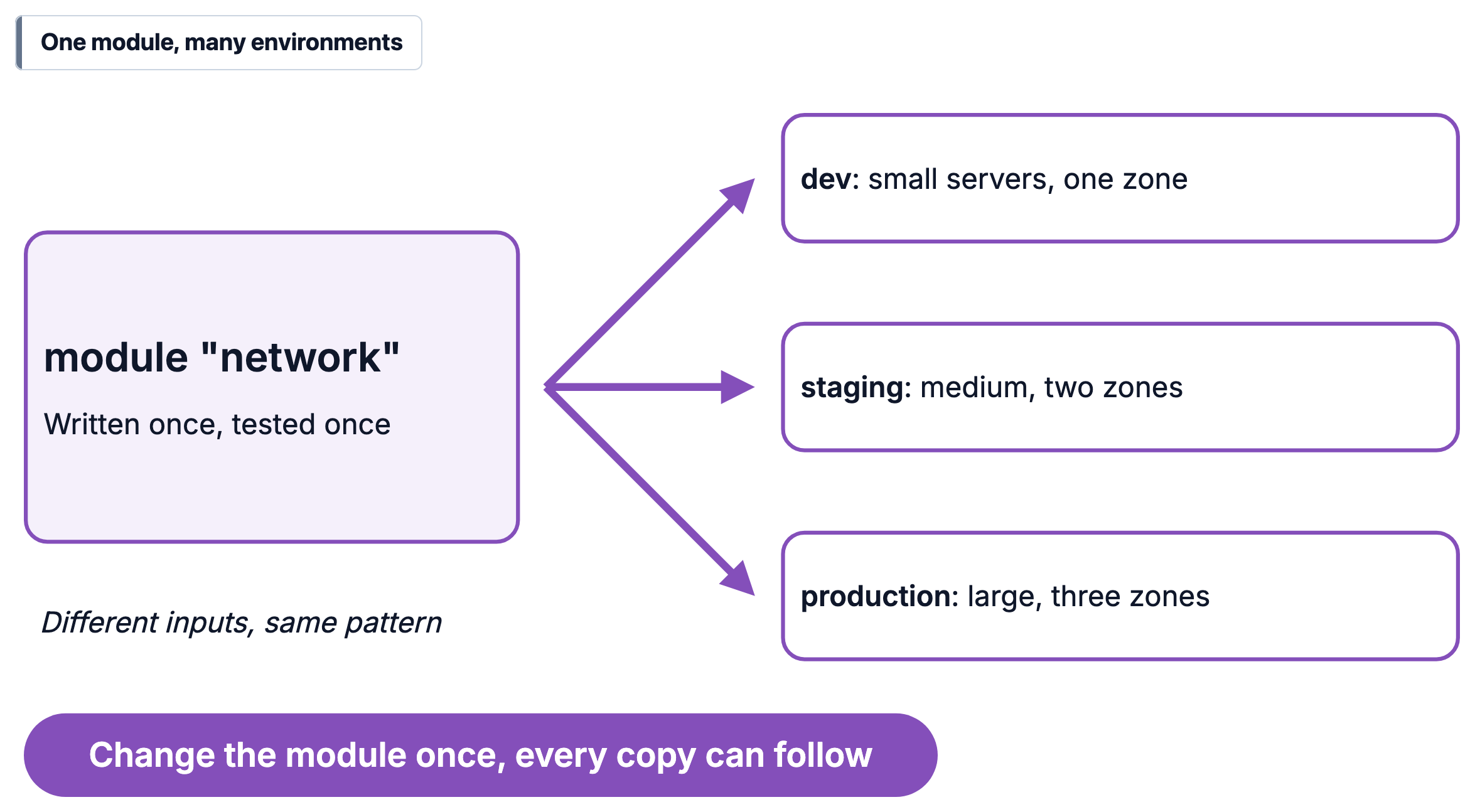
Here's the big idea. On the left, one module, called network. Somebody wrote it once, carefully, and tested it once. On the right, three environments. Dev, staging and production. Each one calls the same module, with different inputs. Small servers and one zone for dev. Large servers and three zones for production. Same pattern, every time. Like a stamp. A very well-reviewed stamp. And when the module improves, every environment can pick up the fix, when it chooses to.
Registries share modules
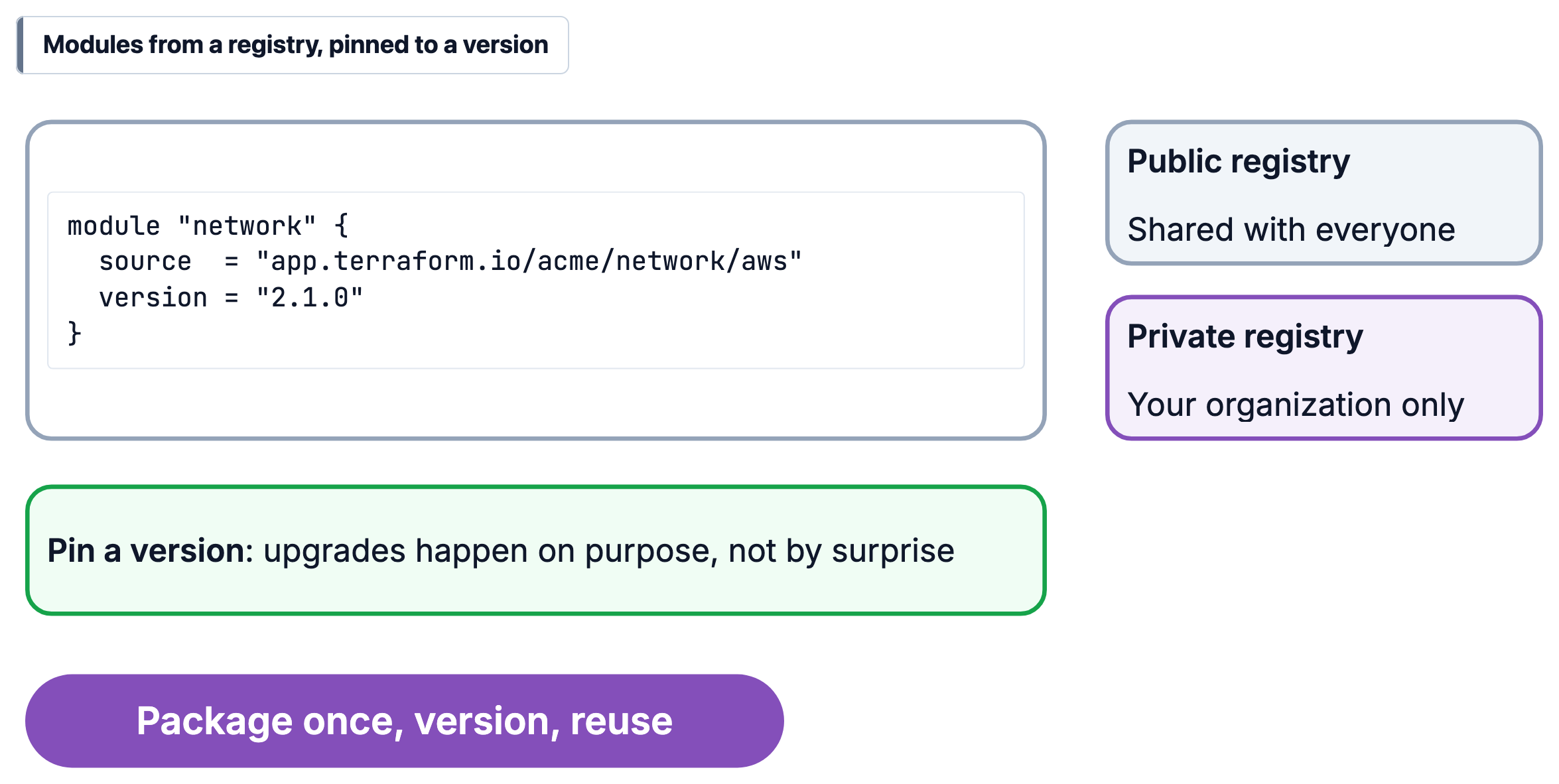
Modules can come from a local folder, a Git repository, or a registry. The public Terraform Registry hosts modules from HashiCorp, partners and the community. They're free to use. Partner modules are reviewed by HashiCorp, and you can filter the search to show only those. HCP Terraform, on the HashiCorp Cloud Platform, also gives your organization a private registry, only for its members. A private module's source starts with a hostname, like app dot terraform dot io, then your organization's name. Publishing a new version from a connected repository is as easy as pushing a Git tag. And in every module block, set a version. Then an upgrade happens because you asked for it, not because somebody published one on a Friday. Registry module versions follow semantic versioning, so a new major number warns you that something might break.
Copy and paste vs a module
Compare the two ways teams grow. Copy and paste is quick on day one. By day ninety, every copy is different, and a bug fix means finding them all. A versioned module is one tested pattern. Fix it once, release a new version, and each team upgrades when it's ready. You also get standards for free. The approved way to build a network is simply the module everyone uses. HashiCorp's docs even suggest policies that say every module must come from your private registry. More on policies in part four.
Recap
Let's recap. A module packages resources that Terraform manages together. Your own directory is the root module. Call one module many times, with different inputs, and you get many consistent environments. Share modules through the public registry, or your organization's private registry, and always pin a version.
Practice and what's next
That's modules, and the end of Terraform for teams. To practice, try the free practice questions at Gazeek Labs. Next, we start Guardrails and day two with Run tasks: other tools in the run. See you there. If you learned something, there's more on the channel. If you didn't, also the channel. Mate.

Gazeek Flash · free
Exam questions on your phone
Free questions on Terraform for teams: quick-fire batches and timed exams, on the web or Android.