Welcome: from clicking to code
Space Llama introduces this free course, who it is for, its seven parts and how lessons work, then the big idea, infrastructure written as code instead of built by clicking.





Diagrams in this video · 2Free in archhy
The diagrams, full size
Copy any of them into archhy, free, and change it for your own system.
After this lesson you can
- Tell whether this course is the right starting point for you
- Name the seven parts of the course
- Explain why infrastructure built by clicking is hard to review, repeat or rebuild
- Describe what infrastructure as code adds, versioning, review and repeatable builds
Transcript
Welcome: from clicking to code
Hello. I'm Space Llama. Astronaut, llama, and for the next hour and a half or so, your infrastructure as code teacher. This is Terraform and Packer: infrastructure as code, from your first line to a team pipeline. It's free, and you don't need to sign in. We'll go from the first line of code to a whole team pipeline. In this first lesson, who the course is for, how it works, and the big idea behind it. Stop clicking, start writing.
Who this course is for
This course is for you if you've built servers or networks by clicking around a cloud console. Or if you've run Terraform on your own laptop, and now a whole team needs to share it. Or if you build machine images by hand, and you'd like them to come out the same every time. And if you're heading for a Terraform certification, this gives you the ideas before the exam detail. You don't need to be a programmer. If you can read a short configuration file, you're ready.
The course, as a path
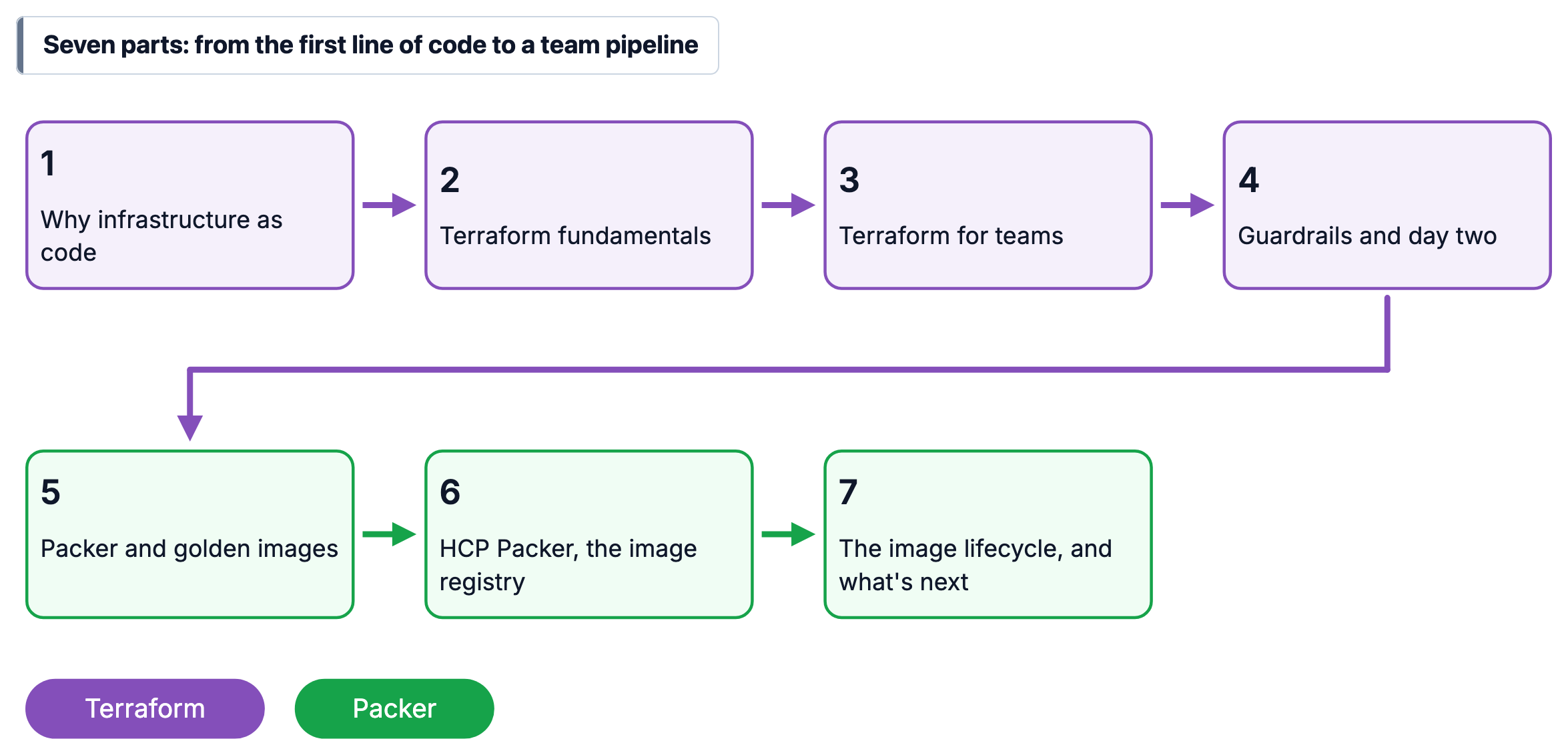
Here's the whole trip on one picture. Seven parts. Part one is why infrastructure as code. You're in it now. Part two is Terraform fundamentals. Providers, the plan, state, inputs and outputs. Part three is Terraform for teams. Shared state, workspaces, and changes by pull request. Part four is guardrails and day two. Policy, private networks, and catching drift. Then the green row. Part five is Packer and golden images. Part six is HCP Packer, the image registry on the HashiCorp Cloud Platform. Part seven joins it all into one image pipeline, and points you to what's next.
How each lesson works
Each lesson is three or four minutes long, with one idea. Chapters let you jump between scenes, and every line has captions and a transcript. Every lesson has pictures. Architecture diagrams for systems, drawn in archhy, and simple drawings for ideas. And each lesson lists HashiCorp's own documentation, so you can go deeper.
Infrastructure by clicking
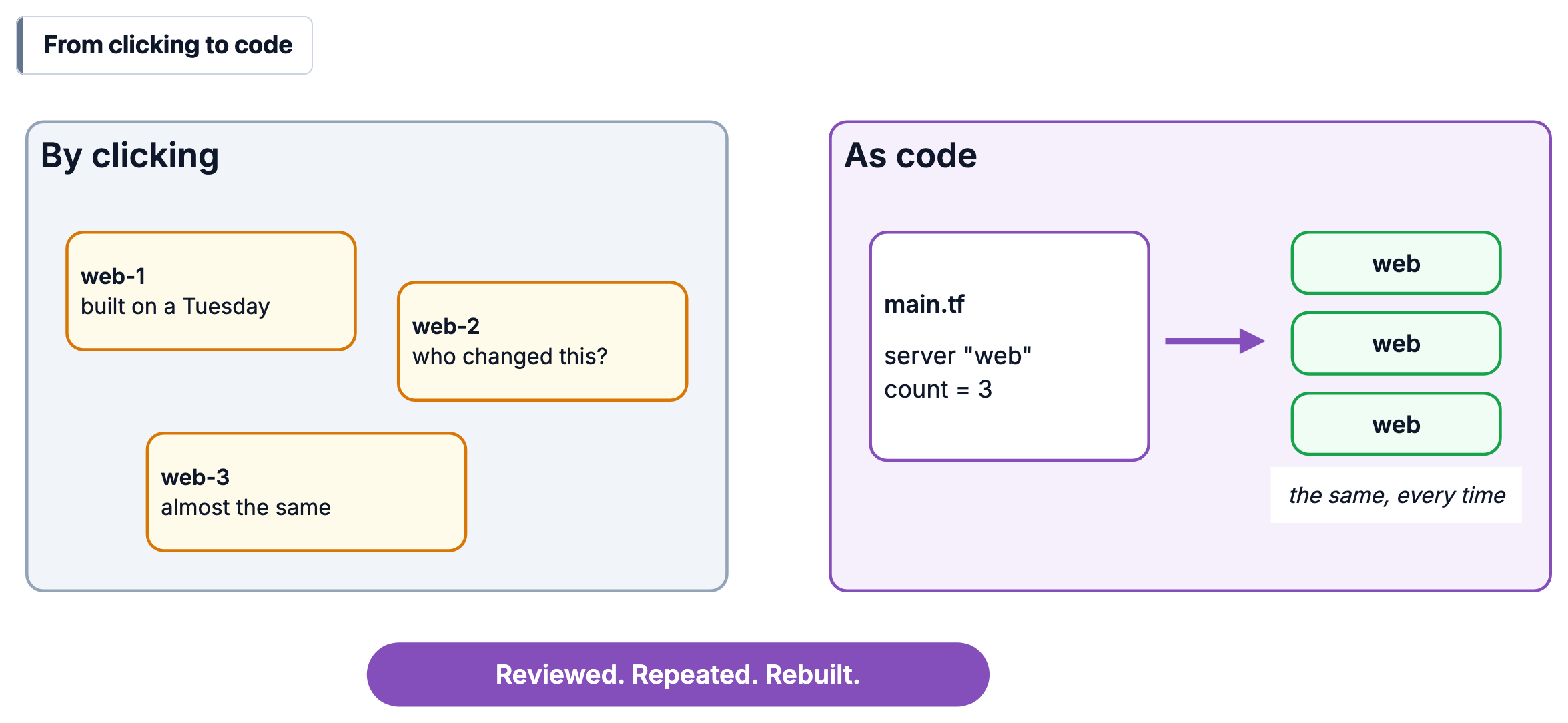
Now, the big idea. Most of us start by clicking. Open the cloud console, make a server, done. It's quick the first time. The trouble starts the second time. Nobody can review a click. There's no record of which boxes you ticked, or why. So web one, web two and web three end up almost the same. And almost is where outages live. And when the person who clicked goes on holiday, the knowledge goes with them.
Clicking vs code
Infrastructure as code means you describe your servers, networks and databases in files. Those files live in version control, like Git, so every change has a history and an author. A teammate can review a change before it happens. And a tool can build the whole thing again, the same way, in another region or after a disaster. For most of this course, that tool is Terraform. For images, it's Packer. Fun fact. The labs on Gazeek are built exactly this way, with Terraform and Packer.
Recap
So, a quick recap. This course is free, in seven parts, with short lessons. Infrastructure built by clicking is hard to review, repeat or rebuild. Written as code, it can be versioned, reviewed, tested and run again.
Practice and what's next
That's the welcome done. No consoles were harmed. Next up, Declarative, imperative, mutable, immutable. Four big words, two simple ideas. See you there.

Gazeek Flash · free
Exam questions on your phone
Free questions on Why infrastructure as code: quick-fire batches and timed exams, on the web or Android.